Mumble AI vs Granola
Looking for a Granola alternative with local AI? Mumble AI goes beyond meeting notes: on-device processing and voice notes, without paying for privacy.
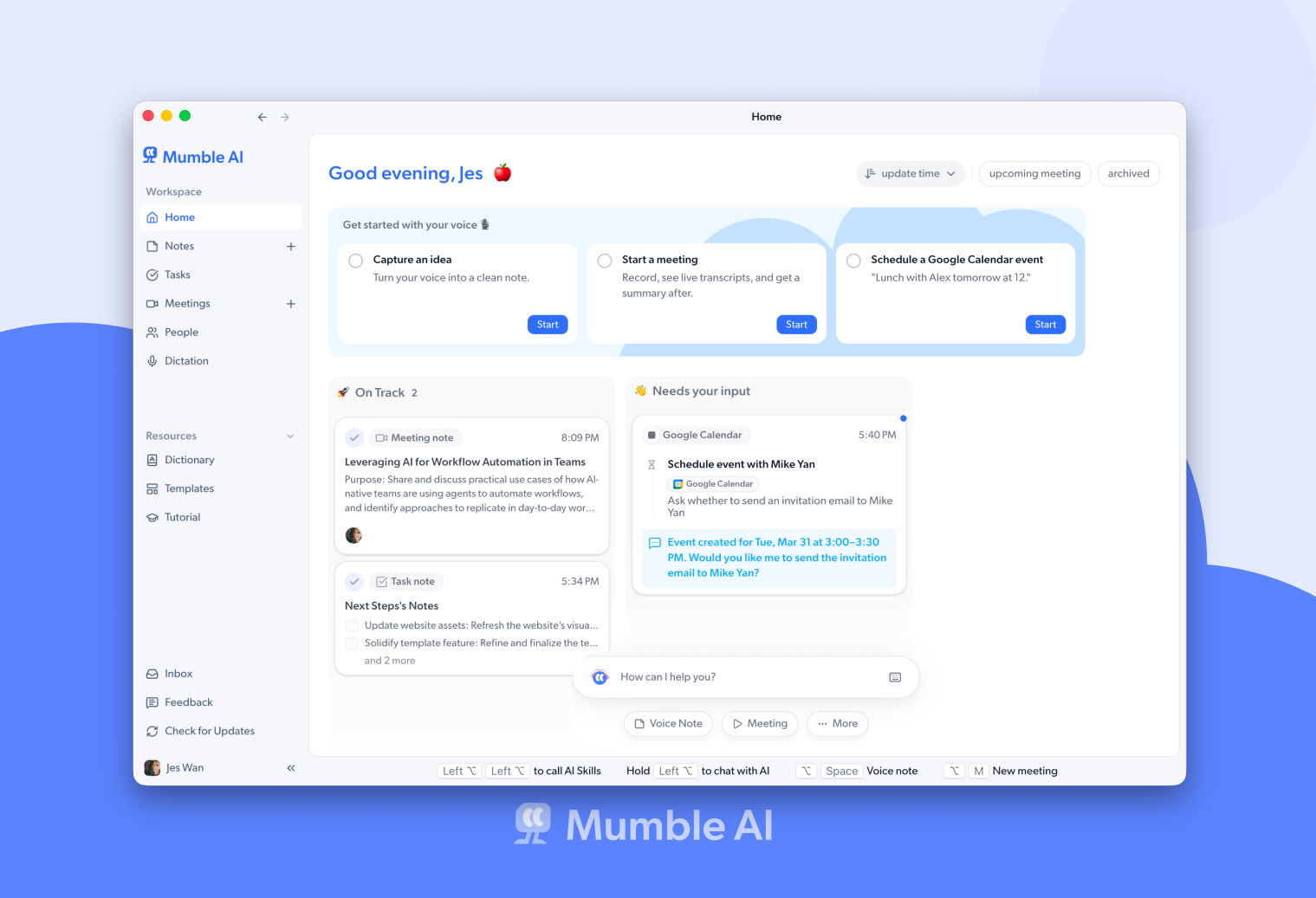
If you like Granola's bot-free approach but want audio recordings you can replay, free on-device processing (not paywalled at $35/month), and built-in voice notes, Mumble AI is a strong alternative. Both are Mac-native.
Note (August 2026): The Mumble AI Mac app is being redesigned and is not available for download right now. Mumble Note, the iOS app, is available on the App Store. We will update this page when the Mac app is back.
Granola is a solid meeting notes app for Mac that transcribes without a bot, much like Mumble. But there are important differences: Granola doesn't store audio recordings (so you can't verify transcripts), privacy features require the $35/month Enterprise plan, and it only does meeting notes. No voice notes.
Mumble AI shares Granola's bot-free approach but goes further. Local mode is free, not paywalled behind Enterprise. You get full audio recordings alongside transcripts. And Mumble AI includes voice notes in the same app; dictation is a separate app, Mumble Dictation.
Mumble AI vs Granola: Feature Comparison
| Feature | Mumble AI | Granola |
|---|---|---|
| Bot joins call | No, records from Mac audio | No, records from Mac audio |
| Audio recording kept | Yes, full recording available for playback | No, only transcript, no audio |
| On-device processing | Yes, free local mode | Enterprise only ($35/user/month) |
| Voice notes | Built-in, auto-organizes into Smart Notes | Not available |
| Speaker identification | Speaker labels with cloud mode | Inconsistent, no audio to verify |
| Free plan | Free during beta, local mode free forever | Limited history on free plan |
| Privacy opt-out of model training | Default: recordings stay on device, local mode available | Enterprise plan only ($35/user/month) |
| Mobile app | iOS with voice notes sync to Mac | iOS and Android |
| Platforms | Mac (macOS 14+, Apple Silicon) + iOS | Mac, Windows, iOS, Android |
Why people switch from Granola to Mumble
Privacy shouldn't cost $35/month
Granola charges $35/user/month for Enterprise just to opt out of model training. Mumble's local mode is free. Your audio stays on your device by default, no upsell required.
Keep your audio recordings
Granola doesn't store audio, only transcripts. If the AI gets a name or detail wrong, you can't go back and listen. Mumble keeps full recordings so you can verify anything.
More than meeting notes
Granola only does meetings. Mumble AI also includes voice notes that auto-organize; dictation is a separate app, Mumble Dictation.
Speaker labels backed by audio
Granola's speaker attribution can be inconsistent, and without audio recordings there is no way to check who actually said what. Mumble's cloud mode provides speaker labels, and because full audio is kept, you can always go back and verify unclear sections. When the AI misattributes a quote, you have a fallback. Granola users don't.
iOS voice notes sync to Mac
Capture voice notes on your iPhone with Mumble and they sync to your Mac automatically. Granola has mobile apps but no voice note workflow.
Is Mumble right for you?
Mumble's local mode processes everything on your Mac for free. No audio leaves your device, no opt-in required, no Enterprise paywall.
Mumble keeps full audio recordings. Go back and listen whenever the AI gets a name, number, or attribution wrong.
Mumble AI includes voice notes that auto-organize with AI; dictation is a separate app, Mumble Dictation.
Mumble AI is built for personal meetings and notes. If you need shared team notes across Mac and Windows, Granola may be a better fit.
Where Granola might be a better fit
Granola works on Mac, Windows, iOS, and Android. If your team uses mixed platforms, Granola has broader availability than Mumble's current Mac and iOS support.
Granola also offers team features like shared meeting notes and workspace collaboration. If you need multiple people on your team to access the same meeting records and work from shared notes, Granola is built for that. Mumble is currently designed as a personal productivity tool without team sharing.
If cross-platform support or team collaboration matters more to you than audio recordings or free local processing, Granola is worth considering.
Granola vs Mumble: FAQ
How is Mumble different from Granola?
Both are bot-free Mac meeting tools, but Mumble keeps audio recordings (Granola doesn't), offers free on-device processing (Granola charges $35/month for privacy), and includes voice notes in addition to meeting transcription.
Is Mumble AI free?
Yes. Mumble is completely free during the beta. After beta, local mode (on-device processing) stays free forever. Granola's free plan has limited meeting history.
Does Mumble store audio like Granola doesn't?
Yes, Mumble keeps audio recordings so you can go back and listen. In local mode, recordings stay on your device. In cloud mode, audio is encrypted and not retained after processing. Granola discards audio entirely, so you can never re-listen.
Can I use Mumble offline?
Yes. Mumble's local mode works fully offline with on-device AI models. Granola requires an internet connection for transcription.
Does Mumble have dictation like Granola?
Granola does not offer dictation. For Mumble, dictation is a separate Mac app, Mumble Dictation, which types what you say into any text field on your Mac.
Does Mumble work on Windows?
Currently Mumble is Mac-only (macOS 14+, Apple Silicon). Granola supports both Mac and Windows. If Windows support is essential, Granola has broader platform availability.
Ready to try a better alternative?
Mumble AI is free during beta. No credit card required.
Coming Soon